
The JSON Filter Mode is a powerful feature in AnyAPI that allows you to precisely control the amount of WooCommerce order data sent to your external API endpoint. This feature is crucial for optimizing API performance, minimizing network bandwidth usage, and ensuring you only transmit necessary, secure information. You have two options to select from: Basic Mode and Advanced Mode.
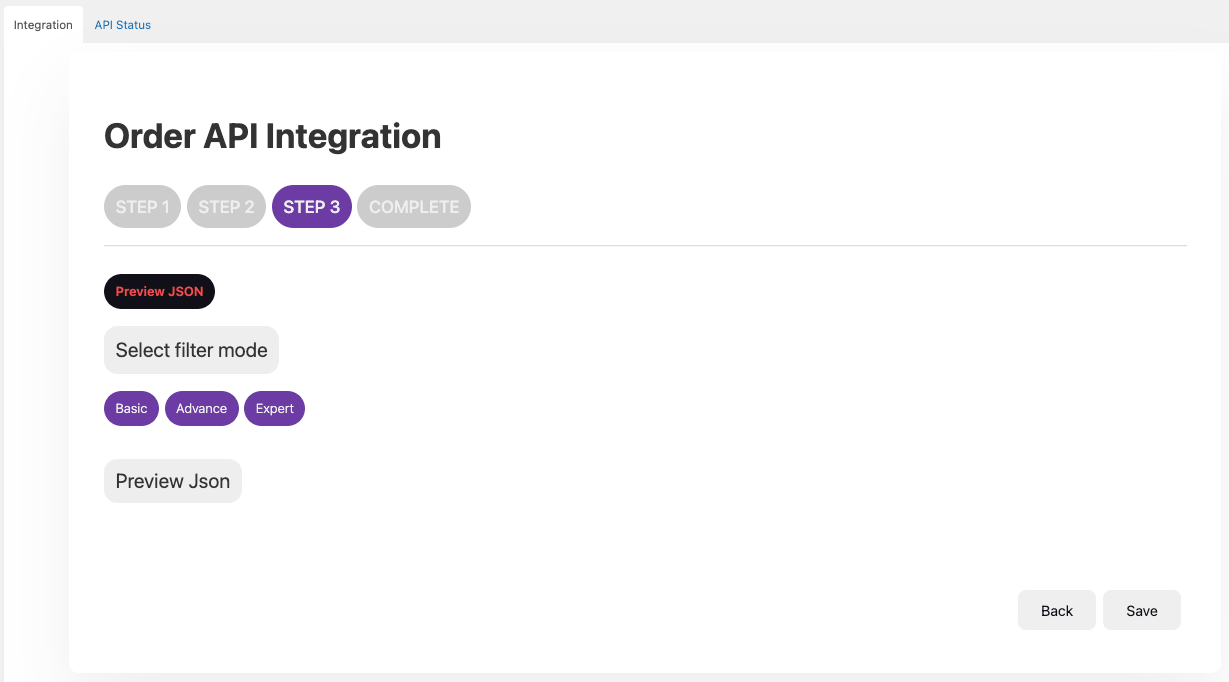
If you are just beginning, start with the Quick Setup Guide for Order API Integration before fine-tuning your filters.
Basic Mode Explanation
When to Use Basic Mode:
Basic Mode is the simplest option. When selected, the AnyAPI plugin automatically prepares and sends the full WooCommerce Order JSON payload to your external API. This mode is best suited for scenarios where:
- You need a comprehensive set of order data for your receiving system (e.g., a comprehensive ERP).
- You prefer a zero-configuration setup for the data body.
- Your receiving API endpoint does not have strict payload size limitations.
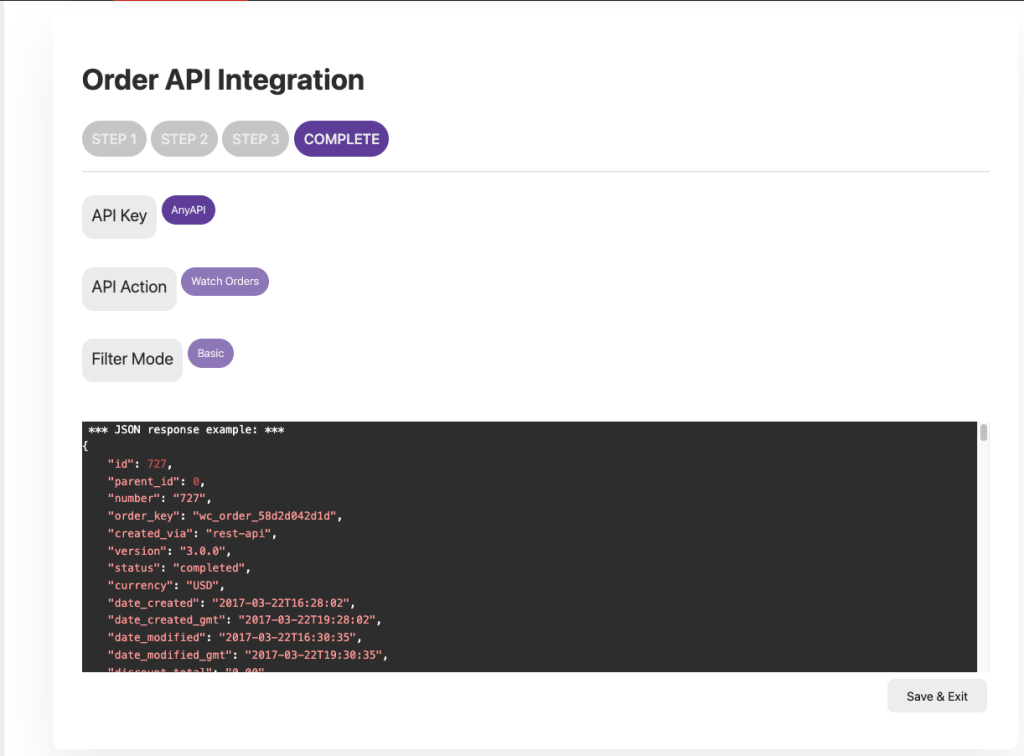
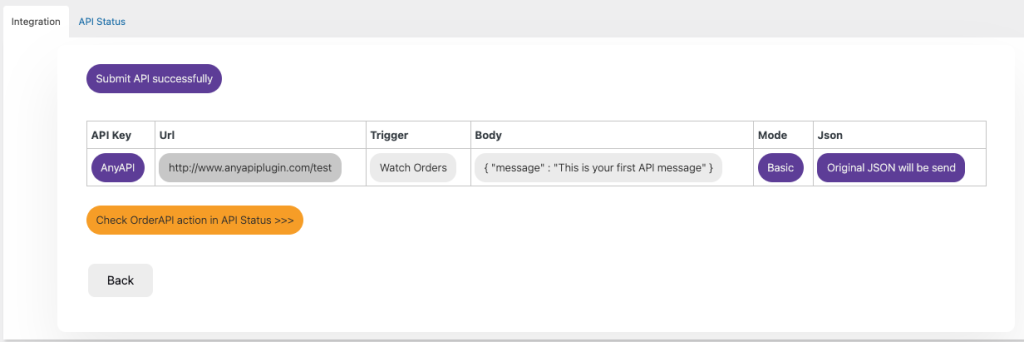
Original Order JSON will automatically push data upon the selected order status changes.
Advanced Mode Explanation
Advanced Mode provides visual control over the data payload. Instead of sending the full order JSON, you can explicitly select the specific WooCommerce data fields you require—including individual line item fields. The key advantages of using Advanced Mode include:
- Performance Optimization: Reduces the size of the API request, leading to faster synchronization times.
- Security: Prevents sending sensitive, unnecessary data fields to external systems.
- Compatibility: Ensures the transmitted JSON strictly conforms to the structure required by older or less flexible external APIs.
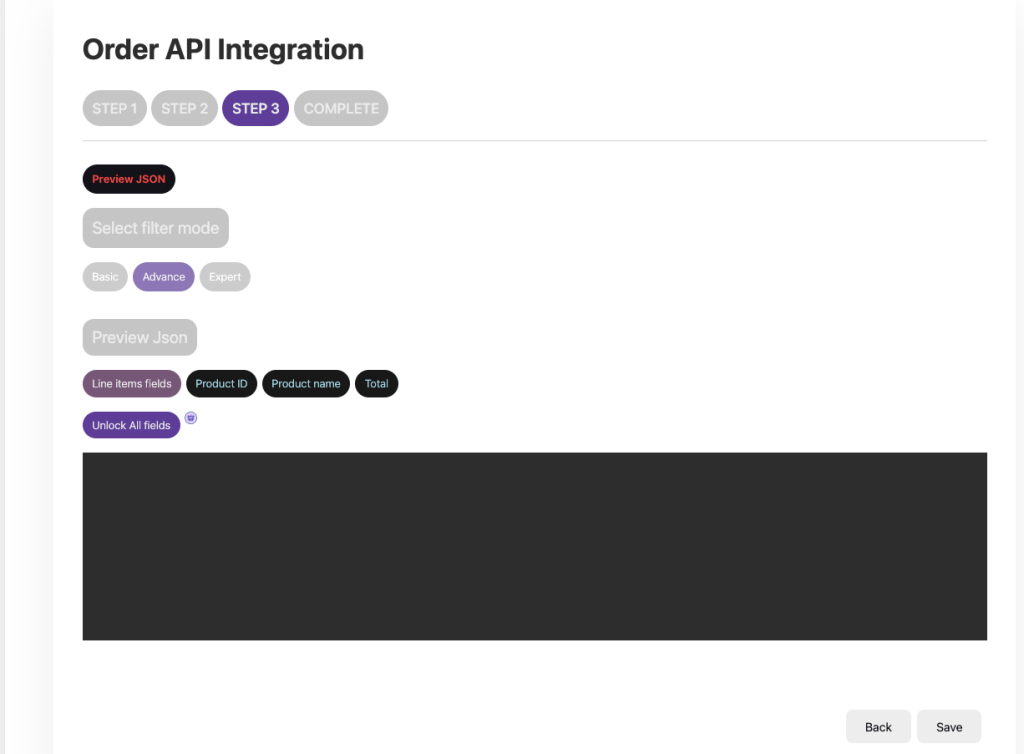
Use the tags to select the primary order fields, and the dedicated Line Items section to choose which product details (like SKU, Quantity, Price) are included for each item.
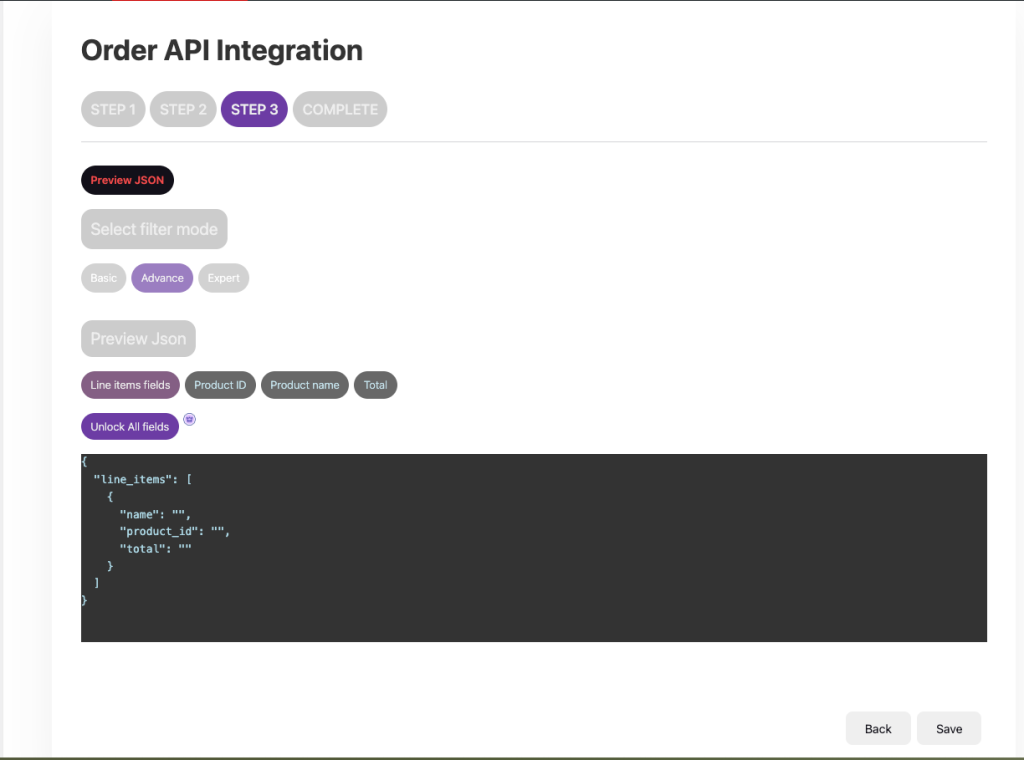
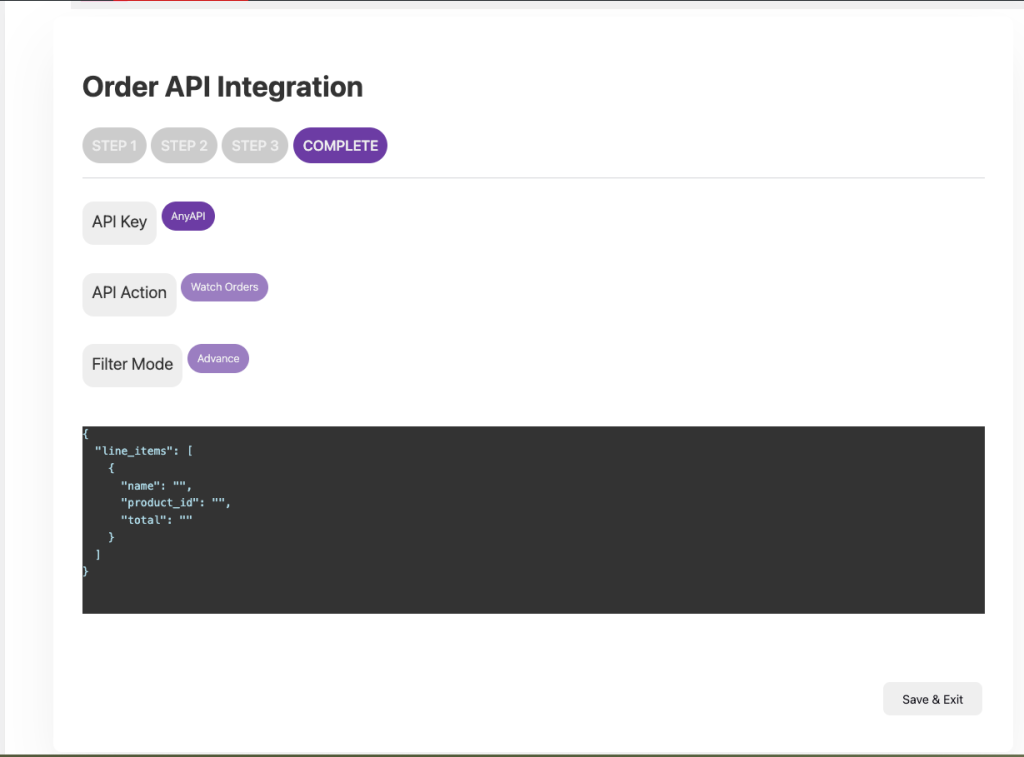
Selected JSON fields will automatically push data upon the selected order status changes.
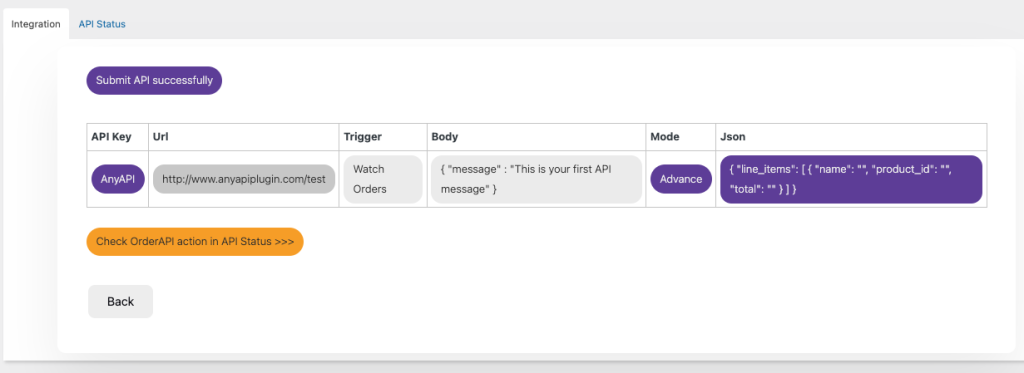
After saving, you can verify the final data payload in the Integration Logs to confirm the JSON output matches your selected filter mode.