
The AnyAPI Development Tools provide a powerful, built-in environment for testing and verifying the responsiveness of your WooCommerce REST API endpoints without needing external tools like Postman or Insomnia. This is an essential feature for developers and advanced users to debug their data structures and confirm endpoint availability directly within the WordPress dashboard.
How to Test Your WooCommerce Endpoints
To execute a test API call using these tools, follow these key steps and understand the components:
- Endpoint URL: Enter the specific WooCommerce REST API endpoint you wish to test (e.g.,
/wp-json/wc/v3/orders/). - HTTP Method: Select the appropriate request method from the dropdown menu (e.g., GET to retrieve data, POST to create a new resource, PUT to update, or DELETE to remove).
- Authentication: Apply your configured Basic Auth or Bearer Token API Key to ensure the request is properly authenticated against your WooCommerce store.
- Request Body (Optional): For POST and PUT requests, enter the required JSON payload in the dedicated body editor.
After executing the call, the tool immediately displays the result in the Response area:
- Status Code: Confirms the success or failure of the request (e.g.,
200 OK,404 Not Found). - Response Body: Shows the JSON data returned by the WooCommerce API. This is vital for verifying the data structure and content.
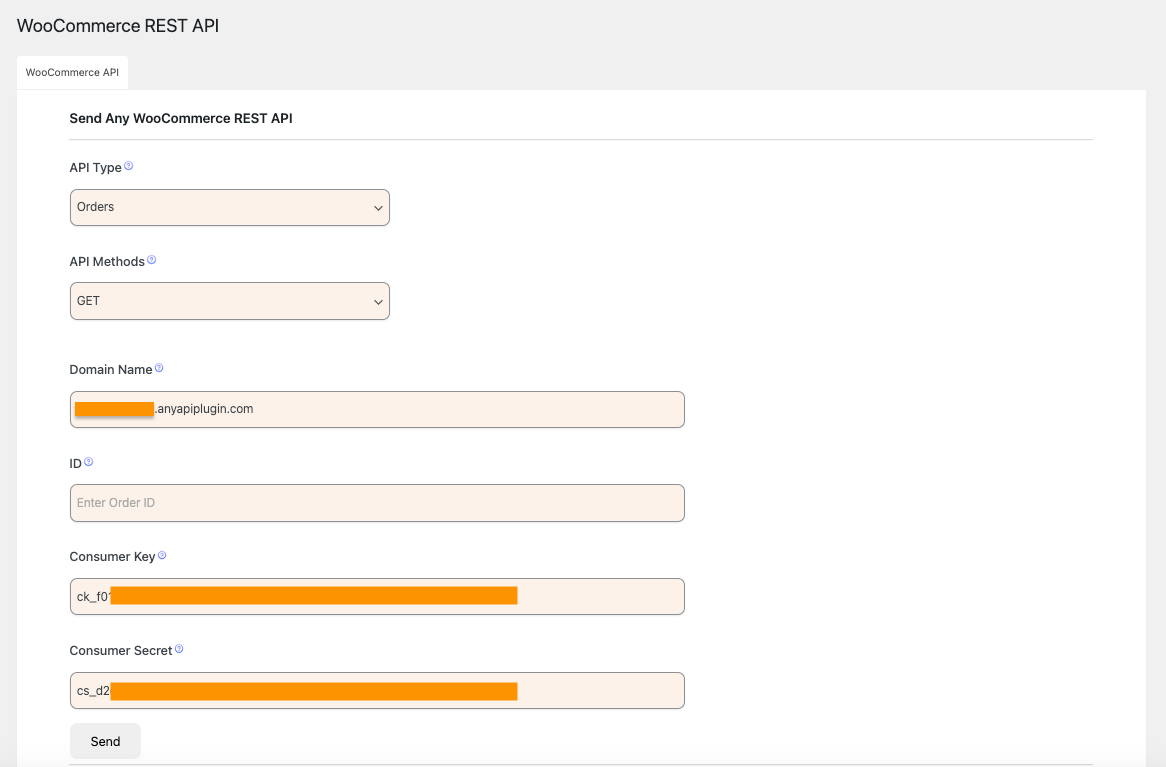
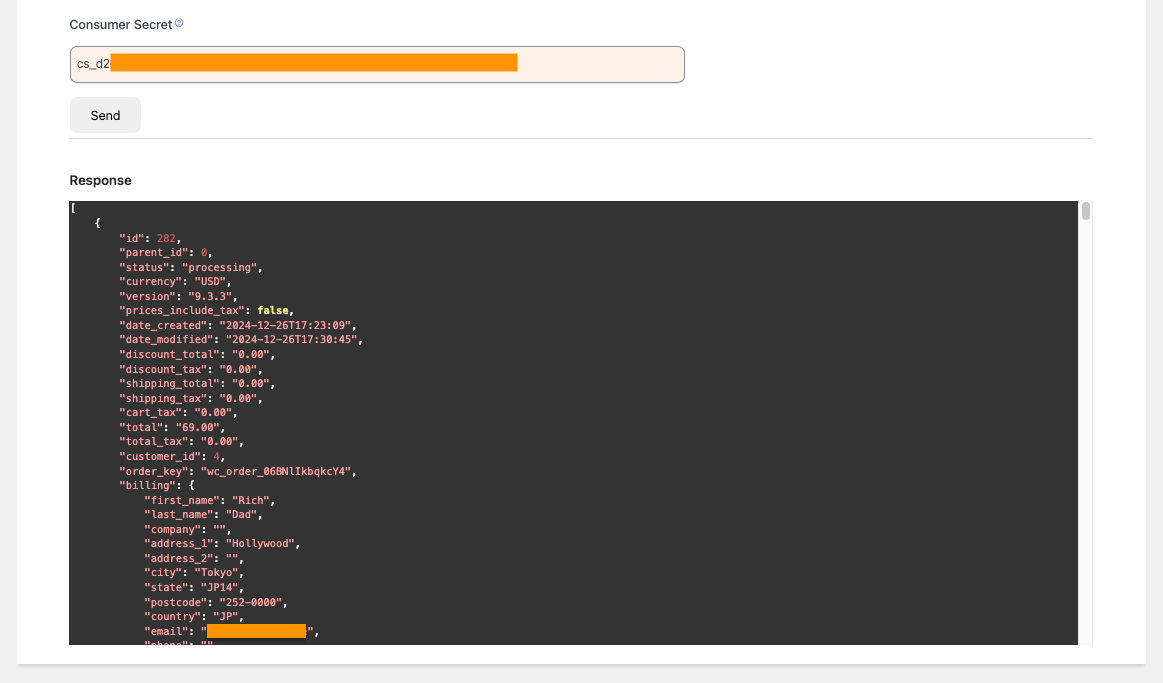
API respond will be show after Send the request
While this tool is excellent for single, direct endpoint testing, for monitoring automatic WooCommerce trigger events, you should refer to viewing the results in the main Integration Logs.