AnyAPI is the no-code plugin for WooCommerce external API integration. It connects your store orders to any external REST API or webhook. In other words, when a customer places an order, AnyAPI automatically sends the data to your chosen platform. As a result, you can automate order notifications, CRM updates, ERP syncing, and more — all without writing a single line of code. Furthermore, the entire setup takes less than five minutes inside your WordPress dashboard.
Step 1: Choose WooCommerce Order API Actions
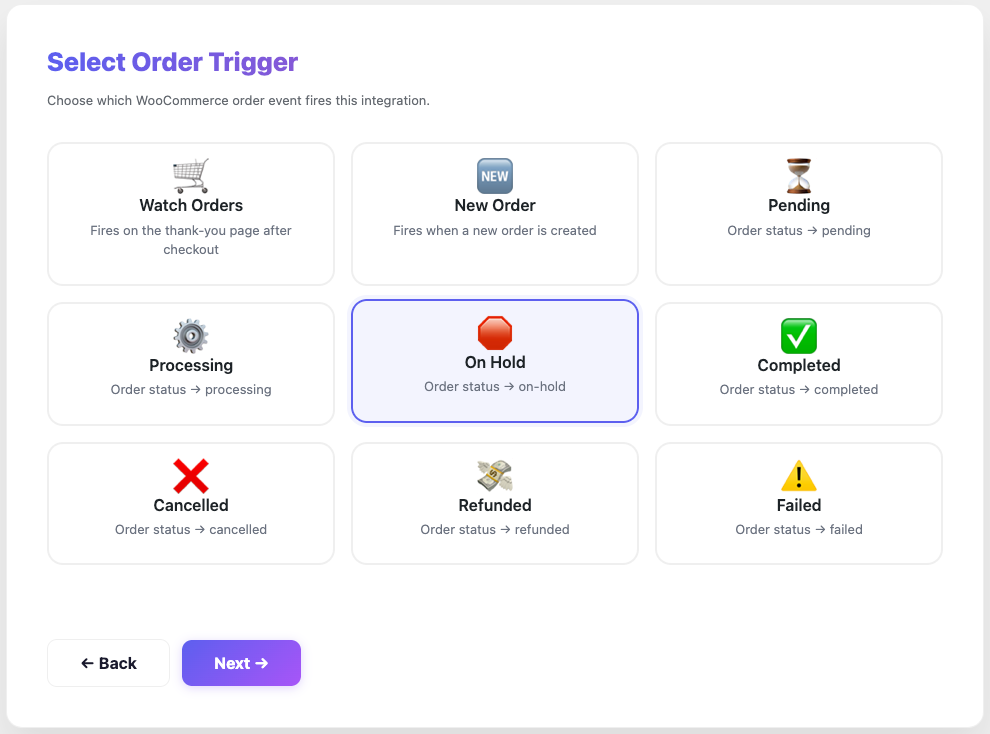
First, select which WooCommerce order events should trigger your API call. For example, you can fire an API request when a customer completes a purchase, when the order status changes to “processing,” or when you mark an order as “completed.”
In addition, AnyAPI lets you enable multiple triggers at once, so your external platform always receives the latest order data in real time.
Step 2: Filter Your External API Integration Payload
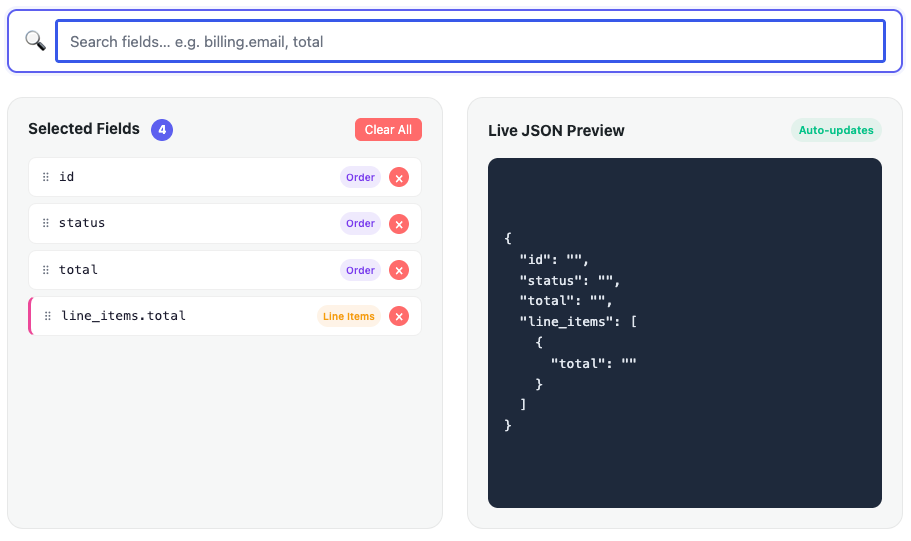
Next, use the visual JSON Filter to select exactly which order fields to send. In most cases, external APIs do not need your entire WooCommerce order payload.
Therefore, AnyAPI lets you pick only the fields such as order ID, billing name, total amount, or line items.
Consequently, your API receives a clean and structured payload instead of a massive raw JSON object. Best of all, you configure everything with clicks, not code.
Step 3: Monitor Your WooCommerce Order API Logs
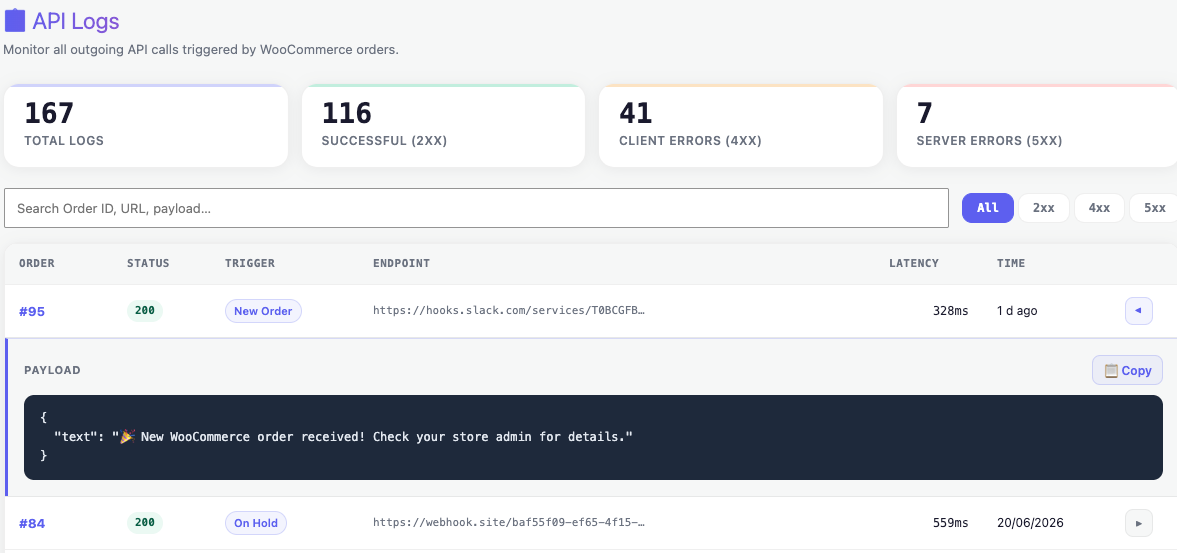
After that, AnyAPI logs every API request and response automatically in your WordPress dashboard.
Specifically, you can see the order ID, HTTP status code, response time, and full payload for each call. As a result, you know instantly whether your WooCommerce order API data reached the external platform.
In addition, Lite plan users unlock advanced features like log search, date range filters, and success-rate statistics for complete observability.
Step 4: Activate and Trigger Your Order API
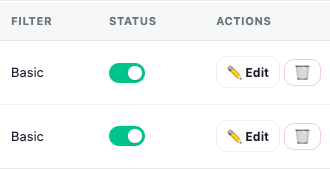
Finally, toggle the API status to “ON” and your WooCommerce order API connection goes live.
From this point on, every matching order event triggers an automatic API call to your endpoint. Moreover, you can pause and resume any integration at any time, so you stay in full control.
In short, AnyAPI handles the entire workflow. As a result, your WooCommerce external API integration runs automatically every time.
Why Choose AnyAPI for WooCommerce External API Integration
In summary, AnyAPI gives you everything you need to connect your WooCommerce order API to any external service. Specifically, you get order event triggers, a visual JSON Filter, built-in API logs, and one-click activation — all inside your WordPress admin. Furthermore, the free Starter plan on WordPress.org lets you set up your first integration at zero cost. To see all available features and plans, visit the AnyAPI pricing page.