WooCommerce API Integration in 3 Simple Steps

In fact, setting up your WooCommerce API integration takes just three simple steps — with no code and no developer needed.

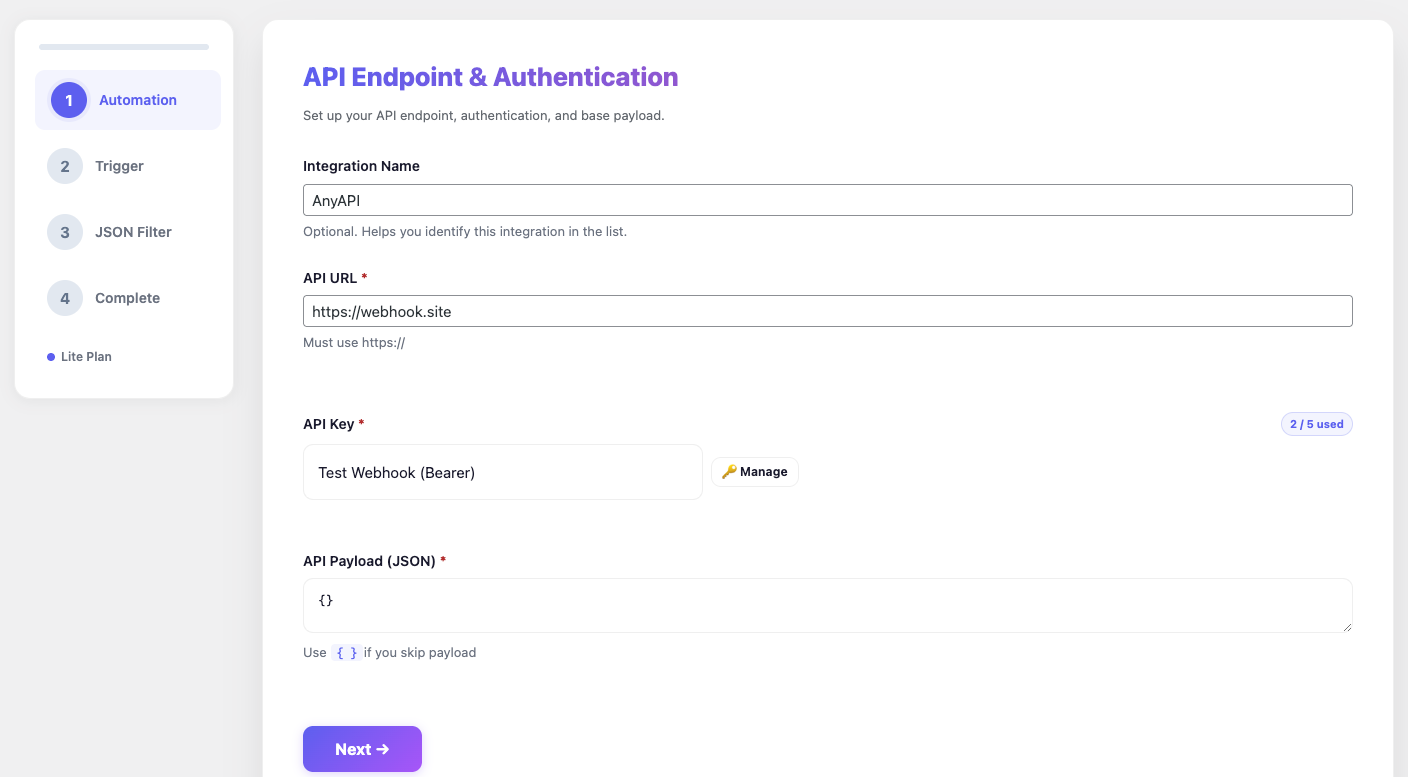
Set up AnyAPI integration endpoint in Step 1

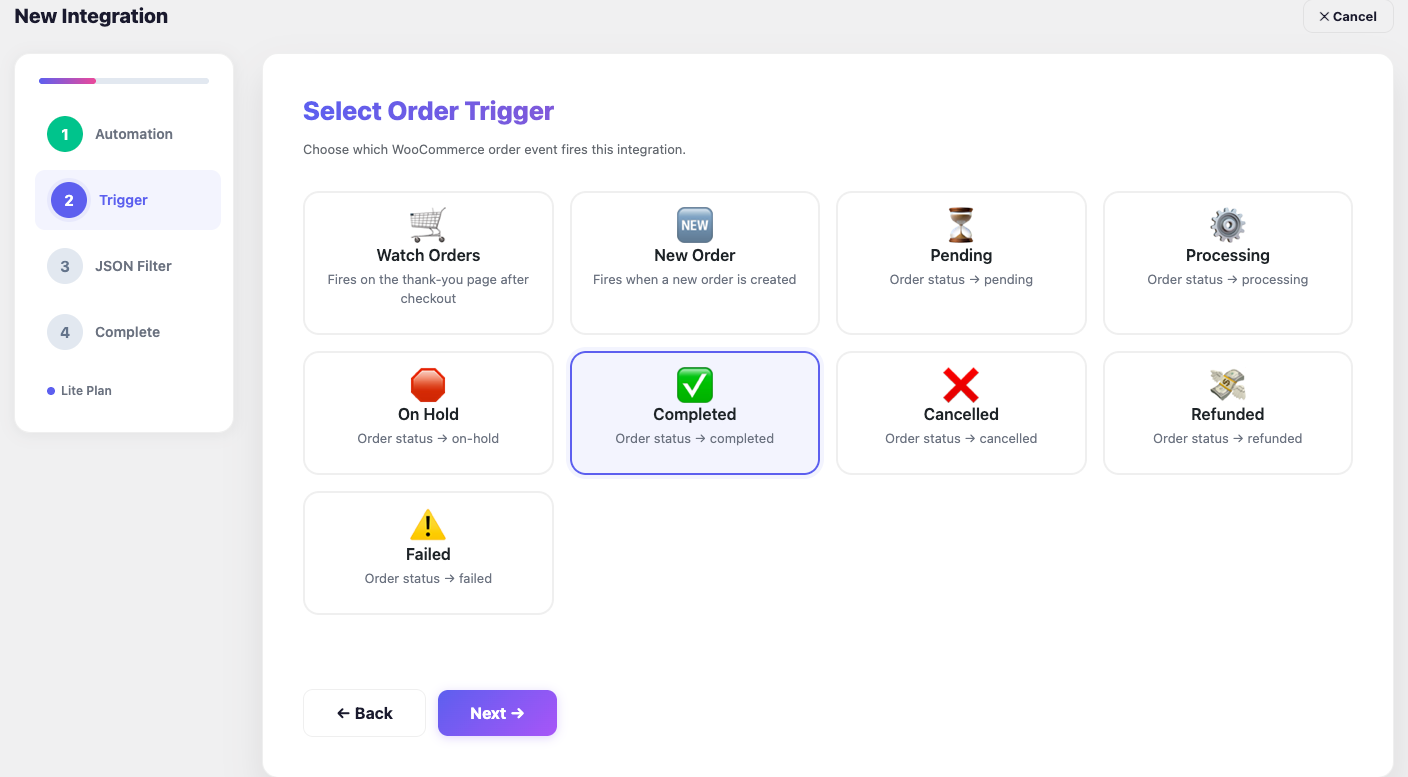
WooCommerce API integration trigger and payload builder in Step 2

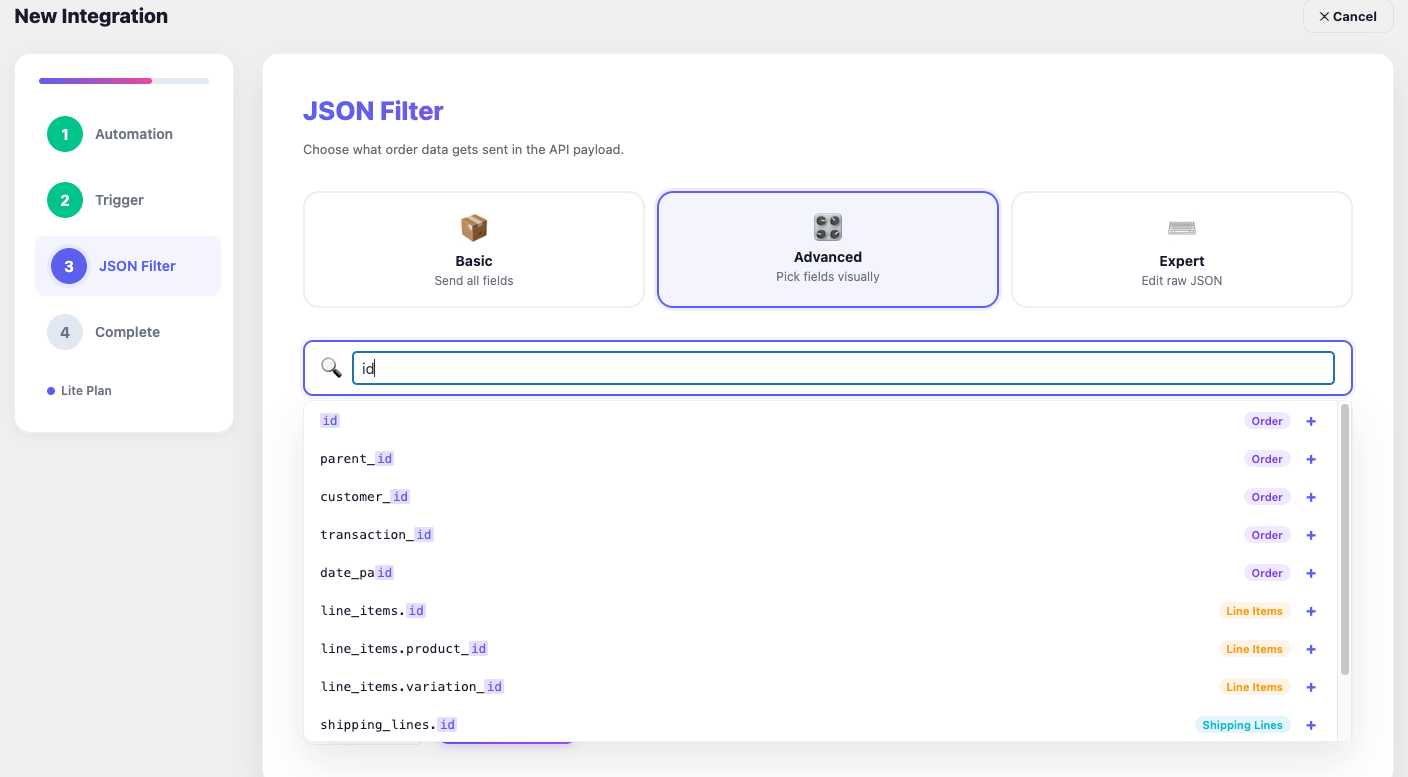
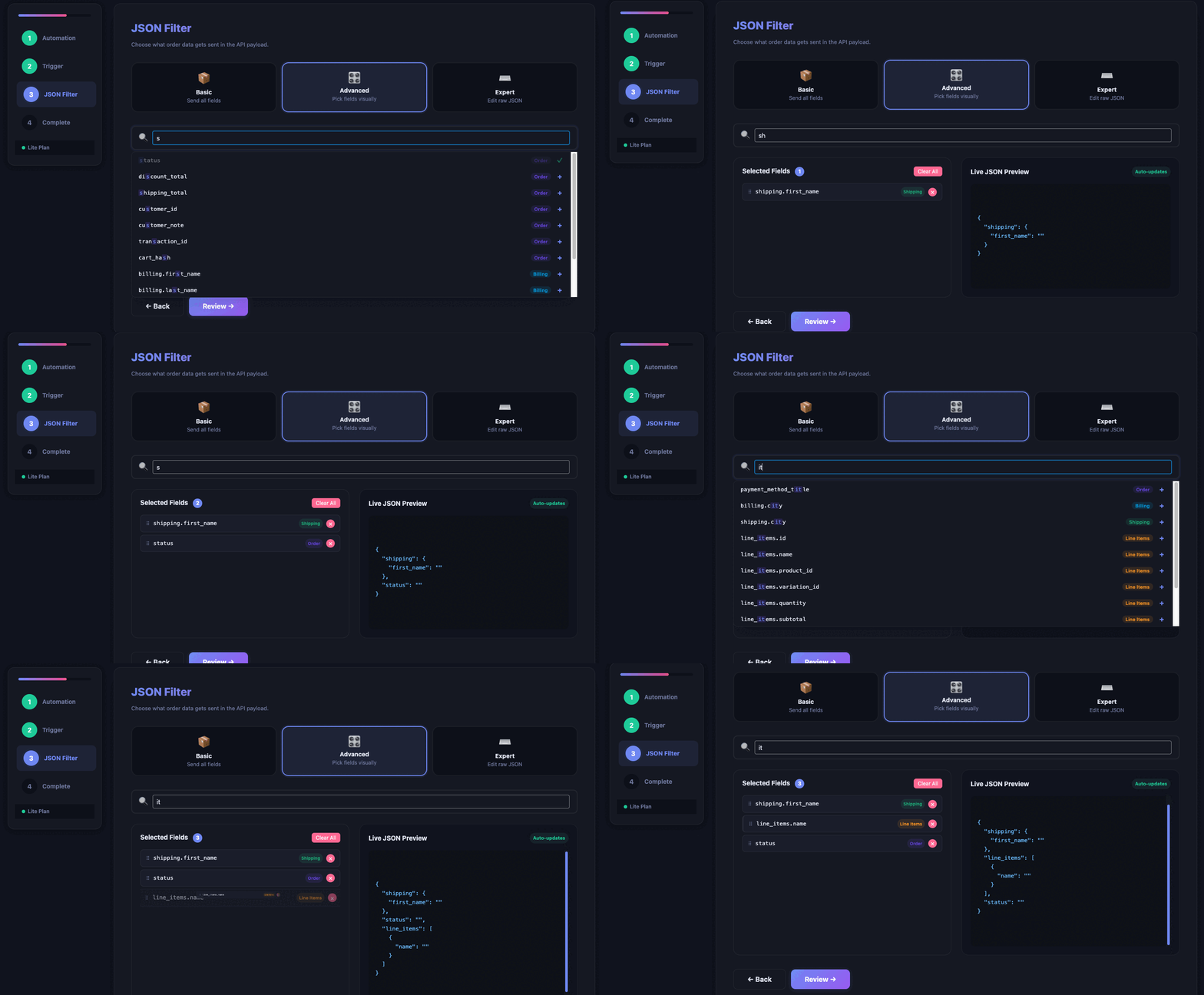
AnyAPI Filter JSON fields for clean API data in step 3

How Store Owners Use WooCommerce API Integration

In fact, AnyAPI connects your WooCommerce orders to the tools you already use.

💬 Your Team Hears About Every Order Instantly

Instead of refreshing the orders page all day, your team gets a Slack or LINE ping the moment a customer checks out. As a result, nobody misses a sale — and no one copies order details by hand.
WooCommerce Slack notification guide →

📦 Your Warehouse Never Falls Out of Sync

Rather than re-keying every order into SAP, NetSuite, or ShipStation, AnyAPI pushes each one to your fulfilment system automatically. Consequently, stock and shipping stay accurate without manual entry.

📊 Your CRM Updates Itself on Every Purchase

Instead of exporting customer lists each week, AnyAPI sends order and contact data straight to HubSpot, Salesforce, or Pipedrive. Best of all, there is no monthly Zapier subscription to maintain.

📧 Your Fulfilment Partner Gets Order Details Automatically

Rather than forwarding confirmation emails one by one, AnyAPI emails full order details to your supplier or dropshipper the moment an order lands. Therefore, fulfilment starts sooner and nothing slips through.

📈 Your Spreadsheets Fill Themselves In

Instead of copy-pasting orders into Google Sheets, AnyAPI logs every one for you. As a result, your reporting sheet is always current — with zero manual updates.
WooCommerce Google Sheets guide →

🔗 Any Other Tool Still Gets the Data

Even when a platform has no ready-made connector, AnyAPI sends your orders to any webhook — Make, Airtable, n8n, or your own script. In short, if it accepts a REST request, it works.

🧹 Your API Receives Only Clean Data

Rather than dumping a bloated order payload, AnyAPI lets you send only the fields each endpoint needs. Consequently, you avoid rejected requests and messy data on the other side.

🛡️ You Know Instantly When Something Fails

Instead of discovering a broken integration days later, AnyAPI logs every request and retries temporary failures on its own. As a result, you catch problems early — and most fix themselves.

Everything You Need for WooCommerce API Integration

Powerful WooCommerce API Integration for your business

Core Features 1

Intuitive Dashboard for Every Skill Level

First of all, AnyAPI gives you a clean, responsive dashboard that guides you through the entire WooCommerce API integration process. In other words, you do not need to touch any code or leave your WordPress admin. Furthermore, every setting uses plain language — not developer jargon.

Core Features 2

JSON Filter for Your WooCommerce API Payload

In many cases, WooCommerce stores send bloated JSON data to external APIs. However, AnyAPI solves this with a built-in JSON Filter that lets you pick exactly which order fields to include. Consequently, your API receives only the data it needs — and as a result, you never write a single line of PHP or JavaScript.

Core Features 3

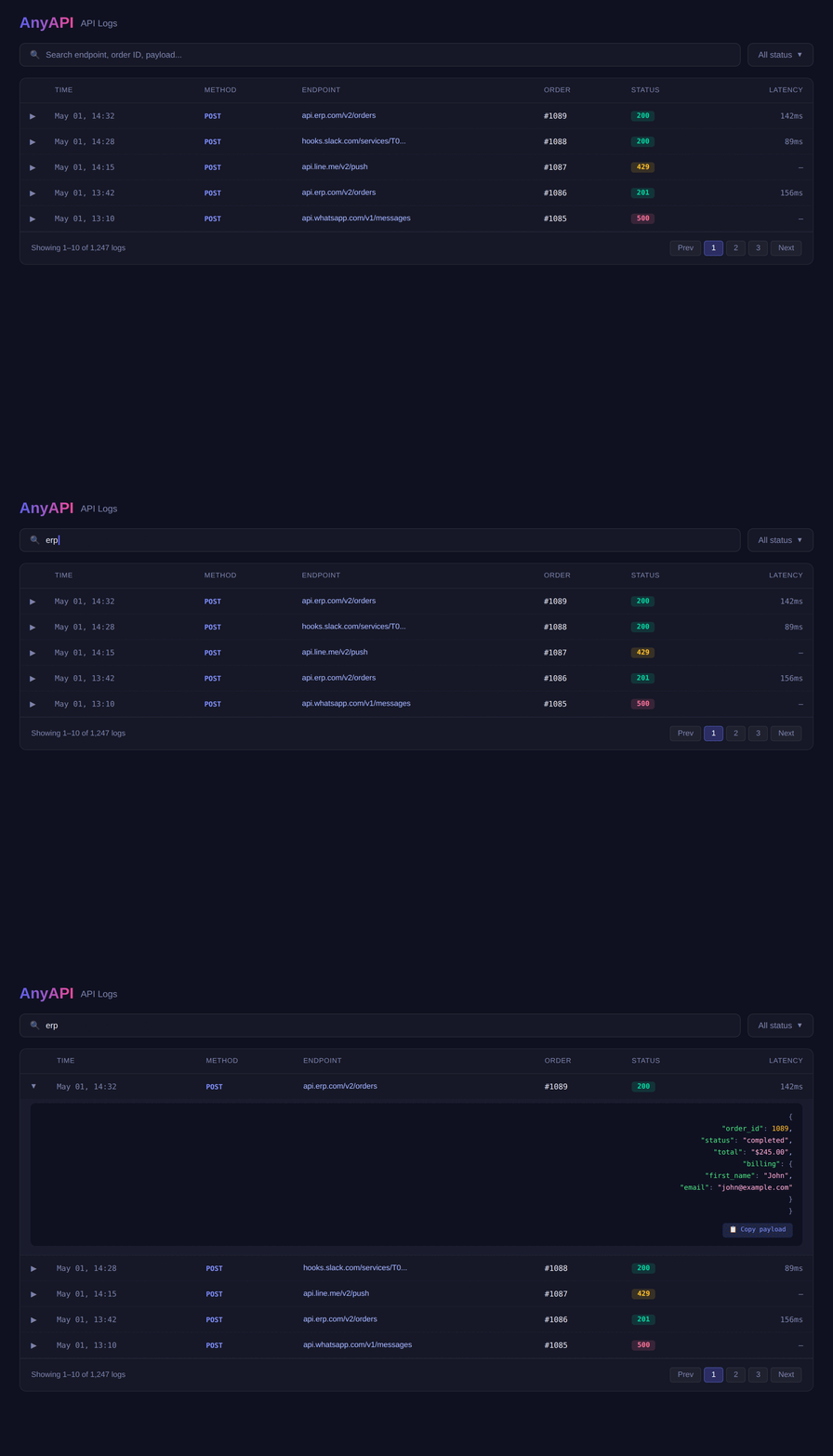
WooCommerce API Logs — Monitor Every Request

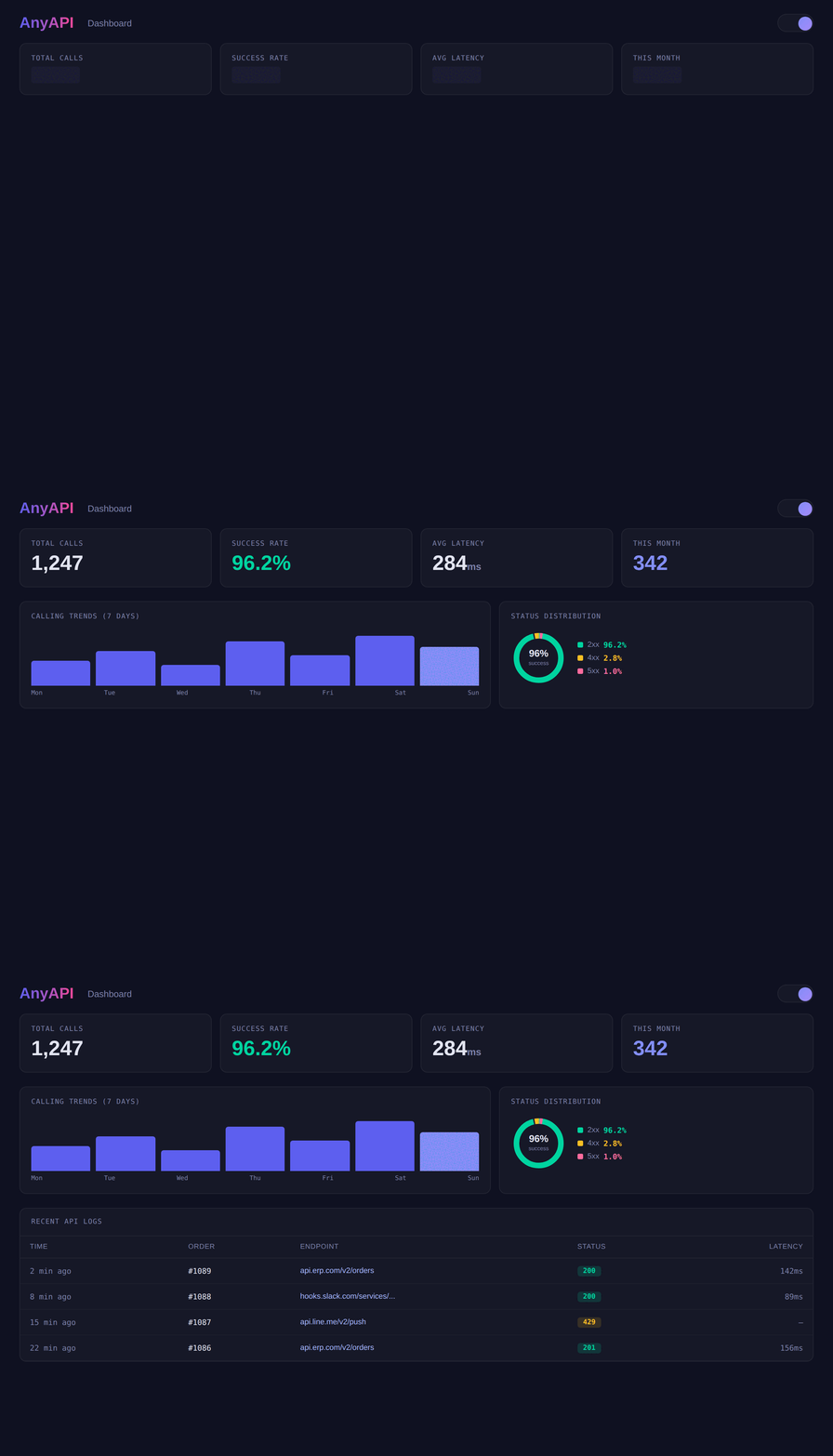
Above all, you need to know whether your WooCommerce API integration actually sent the data. Therefore, AnyAPI logs every API request and response in your WordPress dashboard. As a result, you can instantly see status codes, latency, and error details. In addition, Lite users unlock log search, date filters, and success-rate statistics for full observability.

Built for Developers Who Want Full Control

Under the hood, AnyAPI gives your WooCommerce API integration the depth developers expect — without forcing store owners to touch any of it.

Three JSON Filter Modes for Any Payload Shape

AnyAPI shapes your outgoing payload in one of three modes. In Basic mode (Starter), it sends the payload template you define, with live order placeholders like {{order_id}} and {{billing_email}}. In Advanced mode (Lite), you visually pick and reorder exactly the fields each endpoint needs. Finally, in Expert mode (Lite), you write your own raw JSON template for complete control.
Learn about JSON Filter modes →

API Logs That Record Every Request

Every outgoing call is logged automatically — HTTP status code, latency in milliseconds, trigger, endpoint, the exact JSON sent, and a timestamp. As a result, you never have to guess whether the data reached its destination. Starter keeps your last entries for quick checks, while Lite adds search by order ID or endpoint, filtering by HTTP status, and success-rate statistics across your full history.
See API Logs troubleshooting →

HTTP, Authentication & Automatic Retry

For each integration, AnyAPI sends a POST request with a JSON body and sets the Content-Type header for you; if your endpoint needs extra headers, you can add your own. For authentication, each API key uses either a Bearer token or Basic auth, and credentials are stored on your server — never exposed to the browser. Moreover, when an endpoint returns a temporary error (429, 502, 503, or 504) or times out, AnyAPI automatically retries the request once, so a brief outage does not cost you the data.
Set up authentication →

Start Your WooCommerce API Integration

Ready to connect your first API? Follow the step-by-step guides in our documentation, or download the free plugin and go live in minutes.

Start Automating Your WooCommerce Orders Today

In fact, hundreds of store owners already use AnyAPI for WooCommerce API integration. So download the free plugin and connect your first API in under 5 minutes.

© Copyright 2025・AnyAPI・All rights reserved